
Club communication
Club communication for tennis clubs: news, emails and push in one place
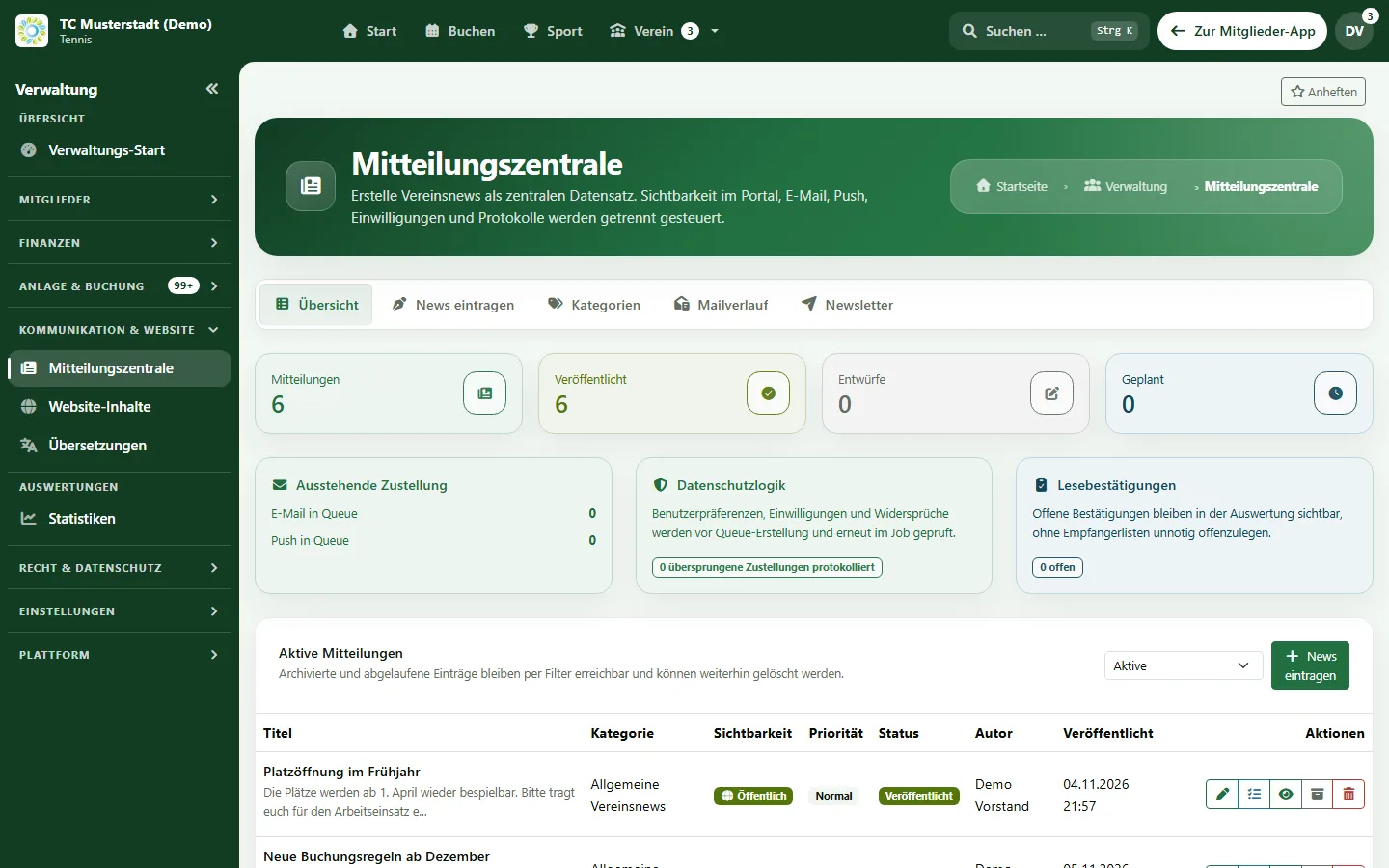
e-MasterClub replaces hand-kept mailing lists and scattered chat announcements: you write a post once, choose the audience and channels, and see what was delivered and read.
- Audience by team, role, category or birth year
- Portal, email and web push with consent check
- Delivery logs, read receipts and newsletter
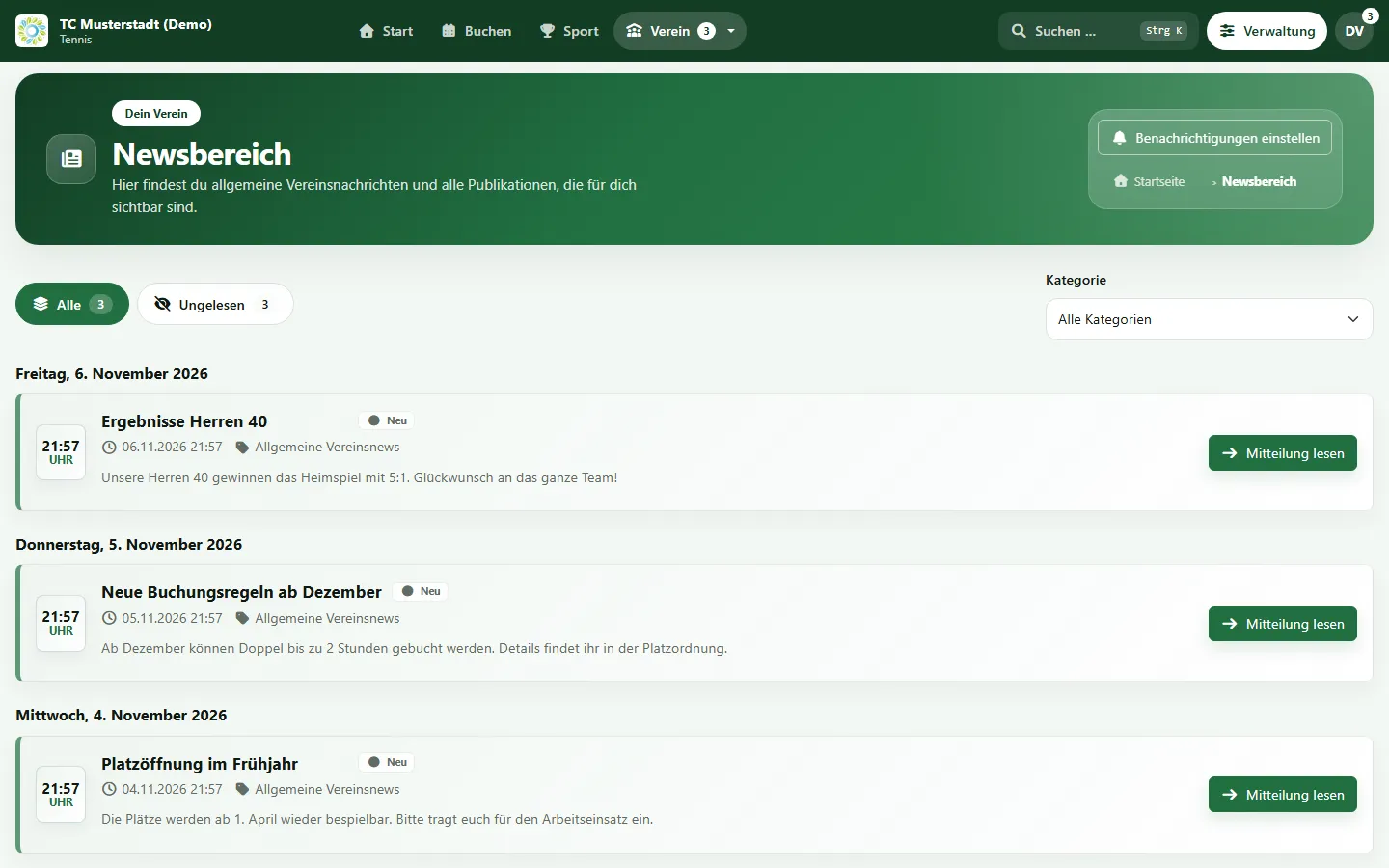
- Club news
- Emails
- Web push
Processes, permissions, and rules in one interface
How does a tennis club communicate with its members digitally?
A tennis club communicates digitally by sending news from one central place instead of personal inboxes and group chats. In e-MasterClub, the board writes a post once, chooses the audience such as a team or an age group, and publishes it in the member portal, by email and as web push. Each member's preferences and consent are respected automatically, and delivery logs and read receipts show who was reached.
Limits: no dispatch via WhatsApp or SMS (sharing links only). Web push requires the installed web app and the member's consent.
Where club communication gets stuck today
Most clubs communicate through private inboxes and several chat groups at once.
Mailing lists live in someone's inbox
Distribution lists are maintained by hand, go out of date after every membership change and are tied to one person's account.
Important news get lost in chats
Court closures or the general meeting are announced in several groups, and it is unclear who has actually read them.
Preferences and consent are unclear
Who agreed to receive which emails is rarely documented, and opt-outs are hard to respect consistently.
From draft to read receipt
How a club post is created, targeted and tracked.
1. Write the post
Title, text, category and attachments in one form. Posts can stay drafts until they are ready.
2. Choose the audience
All members, teams, roles, membership categories, birth years or individual people, with a recipient preview.
3. Pick the channels
Portal, email and web push. Preferences and consent are checked per recipient before sending.
4. Publish now or later
Scheduled posts are published automatically at the chosen time.
5. Track delivery
Delivery logs show what was sent, and read receipts show who has confirmed an important post.
6. Public news
Posts marked as public also appear in the news section of the club website.
Email, newsletter and push
The channels behind the message centre.
Email composer
Templates, placeholders such as the first name, a preview and attachments. Large mailings are sent in batches in the background.
Email history
Filter by status, see error details and resend failed emails individually or all at once.
Newsletter with double opt-in
Sign-up on the club website, confirmation by email, one-click unsubscribe and an export of subscribers.
Web push
Members who installed the web app receive push notifications for news and personal events if they agreed.
Notification settings
Each member chooses per category and channel what they want to receive. Changes are logged.
Event replies without login
Members reply to club events from the email via a personal, signed link.
Events and surveys
Collect registrations and opinions instead of counting replies in chat groups.
Event registration
Members register for club events with meeting point, agenda, questions and things to bring. When the event is full, they join a waiting list and move up automatically. Coming with the next app update.
Families and guests
Members register companions, and guests without an account sign up via a personal link that expires with the registration deadline. Coming with the next app update.
Reminder and calendar file
A reminder 24 hours before the start by email, by push with consent, and every event as a calendar file. Coming with the next app update.
Surveys (in Pro Plus)
Multi-page surveys with conditions, approval before the start, audiences from the membership data and automatic reminders.
Evaluation and export
Results as an overview, with protection of small groups, free text only with permission, CSV export and a share link for the results.
Who communicates what
Permissions decide who may write, publish and send.
Board and editors
Write, schedule and archive posts. Fine-grained permissions separate writing, publishing and sending emails.
Captains and coaches
Reach their team or group directly, if the club grants them the corresponding permission.
Members
Read news in the portal, choose their channels and reply to events without signing in.
Audiences come from the membership data, public posts appear on the club website, and consent and data protection are explained under security and privacy. Audiences, automation and evaluation of member surveys have their own page, and members read news and events in the club app.
Frequently asked questions about club communication
Direct answers about channels, audiences and delivery.
Club news appear in the member portal and can also be sent by email and as a web push notification to the installed web app. Before anything is sent, e-MasterClub checks each recipient's notification preferences and consent for that channel.
Yes. A post can go to all members, to selected teams, roles, membership categories, birth years or to individual people. A recipient preview shows who will receive it before you publish.
The email history lists every send with its status and error details. Failed emails can be resent individually or all at once. For important posts you can request a read receipt and see who has not confirmed yet.
Yes. Visitors of the club website can subscribe to the newsletter. The subscription is confirmed by double opt-in, and every issue contains an unsubscribe link.
Members can reply to a club event directly from the email via a personal link, without signing in. The club sees the replies in the event overview.
Yes, with the next app update. Members register themselves and companions, answer registration questions and join a waiting list when the event is full. When a place becomes free, the next person moves up and is informed by email. Guests without an account register via a personal link, and every member receives a reminder 24 hours before the start.
Yes, with the Surveys module in Pro Plus. The club creates multi-page surveys, has them approved if required, sends them to a selected audience and evaluates the results with CSV export. Small groups are protected so that individual answers cannot be identified.
No. e-MasterClub sends via the portal, email and web push. A post can be shared to WhatsApp with a link, but there is no WhatsApp or SMS dispatch from the software.
Next step
See the message centre live
Request a demo and check how news, emails and push notifications would reach your members.