
Work hours · included in Advanced and Pro Plus
Volunteer work hours: from sign-up to compensation charge
e-MasterClub tracks required hours per member, organises work assignments with sign-up and waiting list, and turns missing hours into compensation charges after approval. Included in Advanced and Pro Plus.
- Required hours by membership, role or team
- Assignments with sign-up and waiting list
- Compensation charges as drafts with approval
- Work assignments
- Reminders
- Compensation charges
Processes, permissions, and rules in one interface
How can a tennis club manage volunteer work hours digitally?
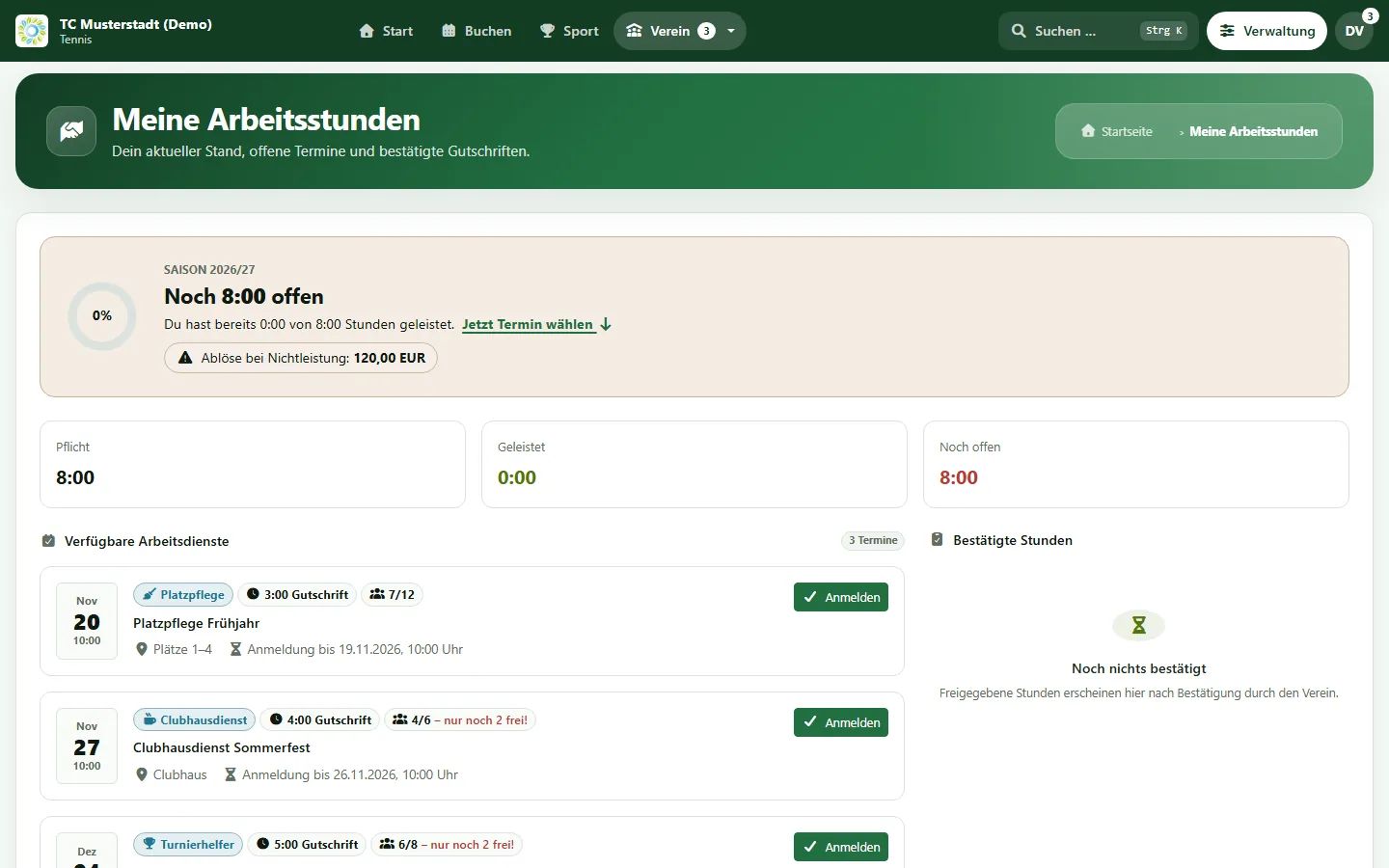
A tennis club manages volunteer hours digitally by defining required hours per membership once and letting members sign up for work assignments themselves. In e-MasterClub, each member sees their balance, signs up for assignments with a waiting list, and receives reminders. The club approves completed hours, and at the end of the season missing hours become compensation charges that are approved before billing.
Limits: included in Advanced and Pro Plus, switched on per club. Compensation charges require the membership fee module. Automatic reminders and automatic charge creation are opt-in.
Why work hours cause friction
Required hours are common in many tennis clubs, managing them rarely is simple.
Hours are tracked in a spreadsheet
Sign-up sheets on the clubhouse door and a spreadsheet at home: at the end of the season nobody knows the exact balance.
Assignments are under- or overbooked
Some work days have too many helpers, others too few, because nobody sees the current sign-ups.
Compensation is discussed every year
Who pays how much for missing hours is calculated by hand and has to be explained individually.
A season of work hours, step by step
From the rule to the compensation charge.
1. Set the rules
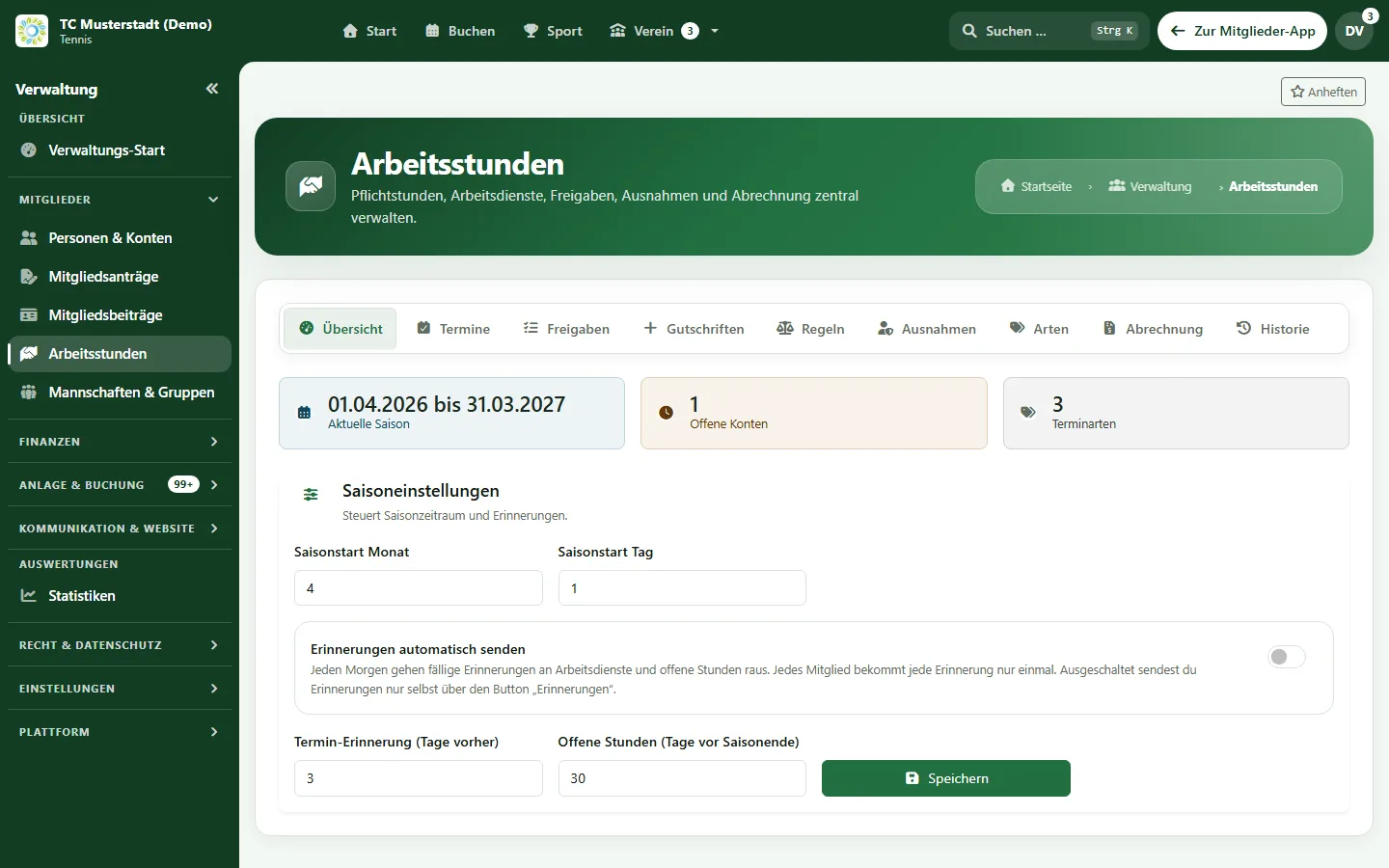
Required hours and hourly rate per membership fee, category, role or team, with exemptions and pro-rata targets.
2. Publish assignments
Work types such as court maintenance or clubhouse service, with date, place, credited hours and maximum number of helpers.
3. Members sign up
Members sign up themselves or family members. Full assignments get a waiting list with notification when a place becomes free.
4. Reminders
Optional automatic reminders before the assignment and before the end of the season, with a personal reply link.
5. Approve hours
The club approves hours, marks excused absences or no-shows, and credits hours manually where needed.
6. Compensation charges
Missing hours become draft charges in the fee overview, with correction suggestions and approval before billing.
Who does what
Permissions separate rules, approvals and billing.
Board
Defines rules, exemptions and work types and keeps an eye on open balances across the club.
Organisers
Publish assignments, see sign-ups and approve hours after the work day.
Members
See their balance, sign up for assignments and receive reminders.
Required hours follow the fees in club billing, members and families come from membership management, and what each plan includes is shown on the pricing page.
Frequently asked questions about work hours
Direct answers about rules, sign-ups and compensation.
Required hours and the hourly compensation rate come from the membership fee or from rules by membership category, role or team. Exemptions can be recorded individually or imported, and members who join during the season get a pro-rata target.
Members see the open assignments with date, place, credited hours and free places, and sign up themselves or for family members. When an assignment is full, they join a waiting list and are notified if a place becomes free.
Hours only count after approval by the club. The club can also mark a sign-up as excused or as no-show, or grant hours manually for work outside an assignment.
At the end of the season, missing hours can be turned into compensation charges. They are created as drafts in the fee overview, can be corrected and are only billed after approval. This requires the membership fee module.
No. Work hours management is included in Advanced and Pro Plus.
Next step
See work hours management live
Request a demo and check how rules, assignments and compensation charges would work for your club.