
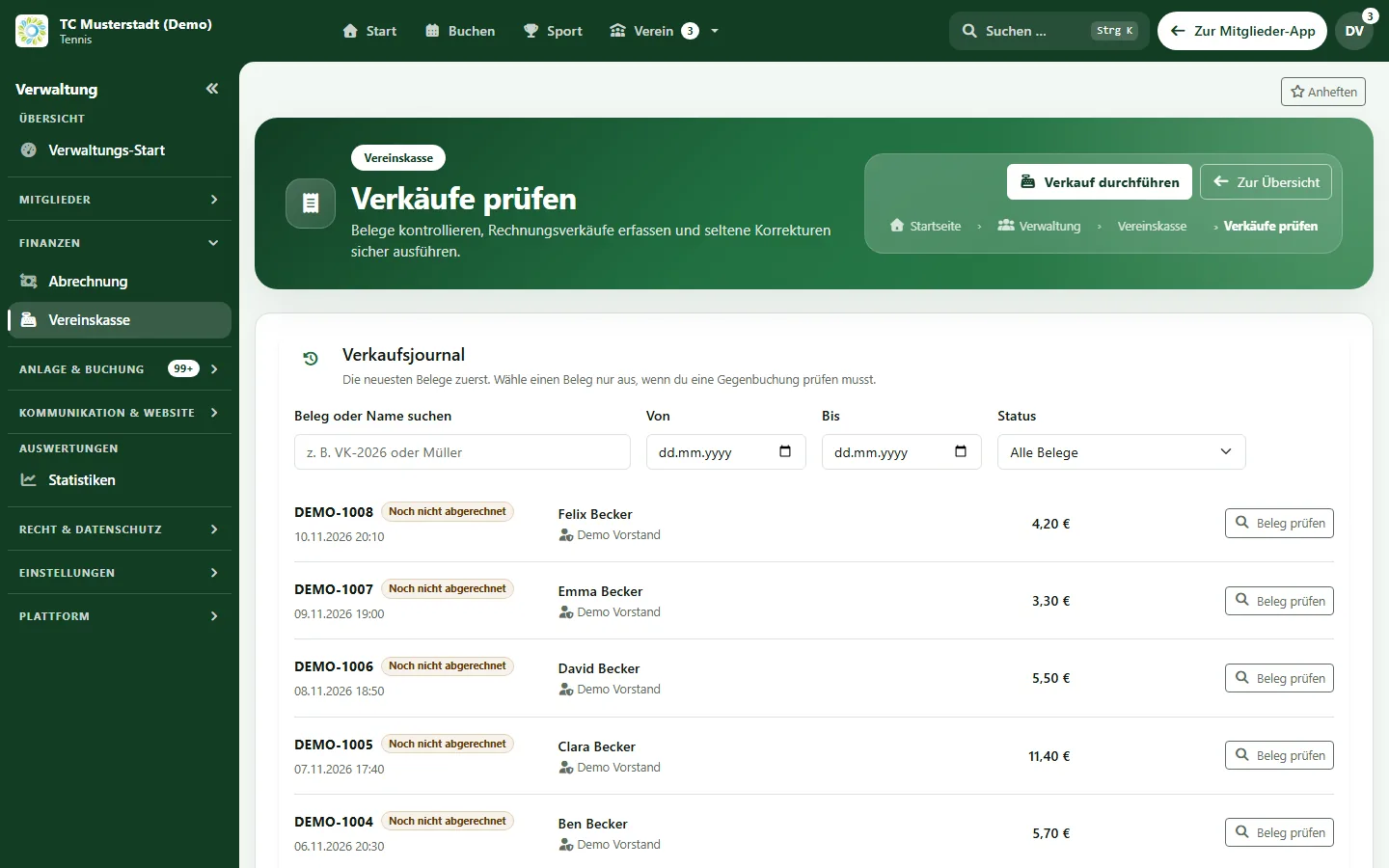
Digital club tab · included in Pro Plus
Digital club tab: consumption on the member account instead of tally sheets
Members book drinks and snacks at a terminal in the clubhouse, guest groups get clear cost bearers, and the club bills consumption monthly by SEPA file. Without cash and without card payments. Included in Pro Plus.
- Terminal with PIN or QR code in the clubhouse
- Guest groups, stock and inventory
- Billing run with CSV and SEPA file
- Consumption on account
- Stock
- Guest groups
Processes, permissions, and rules in one interface
How can a tennis club replace the drinks tally sheet?
A tennis club replaces the tally sheet by letting members book their consumption to their member account. In e-MasterClub, members identify themselves at a terminal in the clubhouse with PIN or QR code and book drinks and snacks. Guest groups have their own cost bearers, stock and inventory are kept alongside, and a billing run turns open consumption into a SEPA direct debit file for the bank after approval.
Limits: included in Pro Plus, switched on per club. No cash register, no cash or card payments, no fiscal certification. SEPA only as a file for the bank, no direct bank connection. Invoices to guest clubs as a print view, not as PDF.
Where the clubhouse loses money and time
Paper lists work until somebody has to bill them.
Tally sheets on the fridge
Drinks are marked on paper lists that are hard to read, get lost and have to be typed up at the end of the month.
Guests and visiting teams
Who pays for the visiting team's drinks is agreed verbally and often forgotten.
Stock is guesswork
Nobody knows how many crates are left until the fridge is empty.
From the drink to the direct debit
How consumption is booked, checked and billed.
1. Terminal in the clubhouse
A tablet is activated as a terminal for self-service, a staffed shift or guest bookings.
2. Identify
Member number and PIN, QR code or selection from the member list. Privileged accounts cannot sign in at the terminal.
3. Book items
Drinks, snacks or tennis balls are charged to the member account. A short self-cancellation window prevents mistakes.
4. My purchases
Members see their purchases in the portal and, if the club allows it, can also buy there.
5. Review and cancel
The club reviews receipts and reverses sales fully or partially if something was booked by mistake.
6. Billing run
Monthly or weekly, with approval, a CSV file and a SEPA direct debit file for the bank.
Catalogue, stock and guests
What the treasurer and the clubhouse team manage.
Catalogue with approval
Items with versions, pack sizes, tax classes and deposits. Price changes can require approval by a second person.
Stock and inventory
Book deliveries, count stock in an inventory and approve differences before they are posted.
Guest groups and cost bearers
Participants, benefit rules and confirmation of costs via a one-time link. Guests can report consumption via QR code as a suggestion.
Invoices to guest clubs
Only created when the confirmed cost assumption matches exactly, as a print view.
Club tab charges are part of club billing, visiting teams are organised in team management, and what each plan includes is shown on the pricing page.
Frequently asked questions about the digital club tab
Direct answers about terminal, guests and billing.
No. The club tab records consumption on the member account and bills it later. It does not take cash or card payments and is not a cash register system. How the club treats the club tab for tax purposes should be clarified with its tax adviser.
At a terminal in the clubhouse, members identify themselves with member number and PIN, a QR code or from the member list, choose the items and confirm. A booking can be cancelled by the member for a short time afterwards. Depending on the club's setting, members can also buy in the member portal.
Guest groups such as a visiting team get their own participants and benefit rules, and a cost bearer can confirm the assumption of costs via a one-time link. Invoices to guest clubs are only created when the confirmed amount matches exactly.
A billing run collects open consumption monthly or weekly. After approval, the club receives a CSV file and a SEPA direct debit file for its bank. There is no direct bank connection.
No. The digital club tab with stock and guest groups belongs to the club till module, which is included in Pro Plus.
Next step
See the digital club tab live
Request a demo and check how terminal, guest groups and billing would work in your clubhouse.