Guide

Choosing a Tennis Court Booking System: Rules, Guests, Indoor Courts and Data Protection

What tennis clubs should look for in a booking system: booking rules, guest players, indoor and outdoor courts, fees and data protection – with a checklist.

Publisher: e-MasterClub – About us · Updated · approx. 7 min read

Short answer

What should a tennis club look for in a court booking system?

A good tennis court booking system shows availability in real time and enforces your club rules automatically: advance booking windows, playing time, quotas per member, cancellation deadlines and blocked times for training and team matches. Add clear rules for guest players with an automatically assigned guest fee, different prices and subscriptions for indoor and outdoor courts, and a privacy-friendly view that shows names only to signed-in members. Choose the system by your rules, not by how the calendar looks.
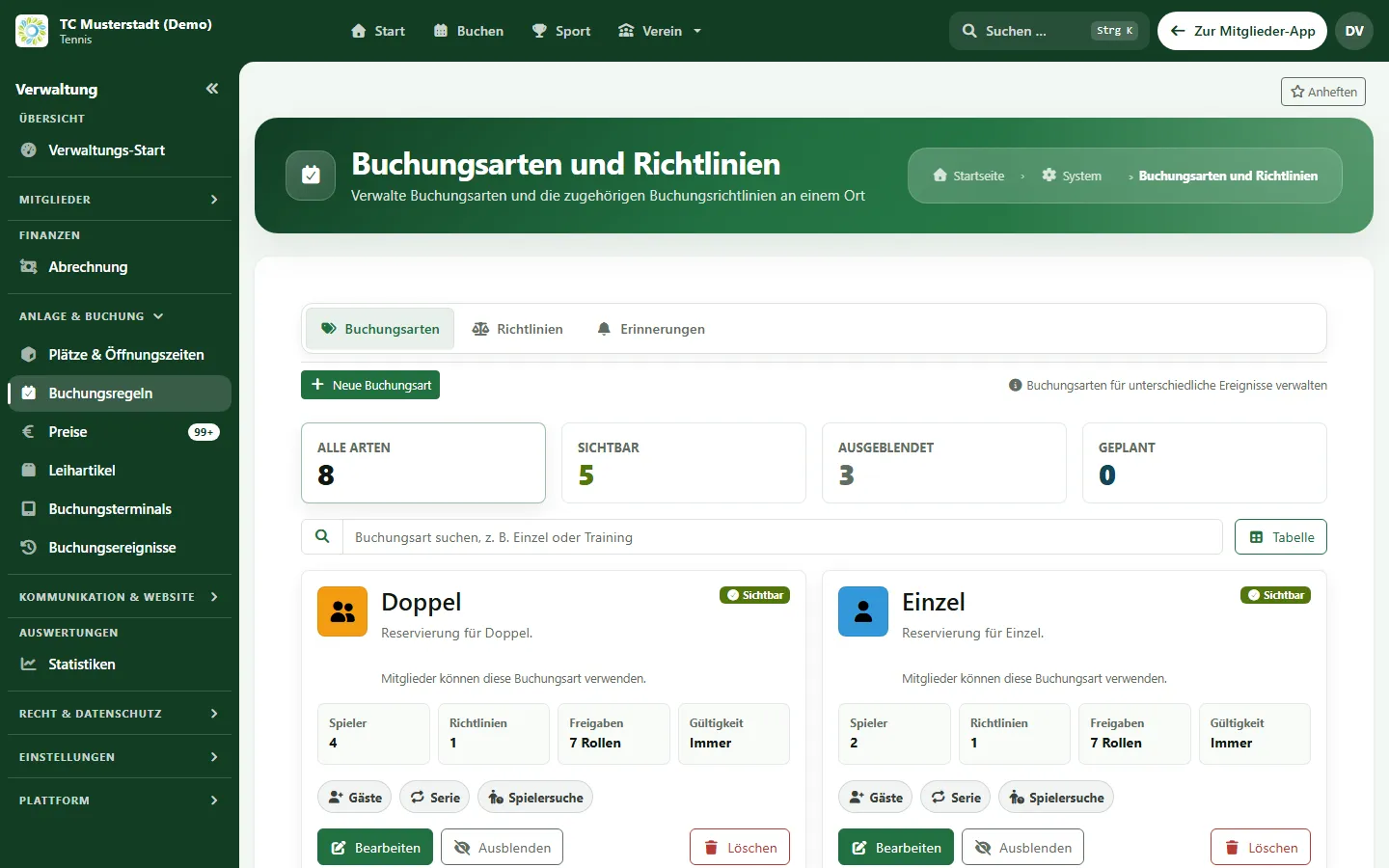
Booking types and policies for singles and doubles with guests, recurring bookings and approvals per role (sample data)
Sample view from e-MasterClub with demo data. The app is also available in English.

Step 1: Rules first, then the system

Before talking to any provider, write down which rules apply today – including the unwritten ones. Typical points:

  • Lead time: How many days in advance may members book?
  • Duration: 60 minutes for singles, 90 minutes for doubles?
  • Quotas: How many open bookings may a member hold at the same time, especially at peak times?
  • Cancellation: Until when can a booking be cancelled free of charge, and what happens with no-shows?
  • Blocked times: Training, league matches, court maintenance and tournaments.
  • Membership types: May juniors, non-playing or trial members book differently?

A system is only useful if it checks these rules itself. Ask to be shown in the demo what happens when a member books against a rule.

Step 2: Regulate guest players fairly

Guests bring life and income, but without rules they cause friction. Clarify: May only a member register a guest? Are there times without guests? How high is the guest fee, and is it automatically assigned to the booking member? A booking system should calculate the guest price with the booking so that nothing has to be added by hand.

Step 3: Think about indoor and outdoor courts separately

In the indoor season everything shifts: courts cost money, season-long subscriptions and multi-session cards are common, and evening slots are more expensive. Check whether the system knows prices per court, time and member group, whether subscriptions and multi-session cards are managed, and whether opening hours and court closures can be set per court.

A booking terminal at the clubhouse helps members without a smartphone and guests on site – ask whether a tablet is enough for it.

Step 4: Data protection in the court schedule

A court schedule shows who plays when – that is personal data. Look for: names visible only to signed-in members, a data processing agreement, hosting in the EU and deletion periods for old bookings. The club remains the controller; the software should provide the settings for this, not replace that responsibility.

Selection checklist

  • Real-time availability of all courts, also on smartphones
  • Automatic checks of lead time, duration, quotas and cancellation deadlines
  • Recurring bookings for training and regular doubles
  • Guest players with an automatic guest fee
  • Prices per court, time and member group; subscriptions and multi-session cards for indoor courts
  • Blocked times for training, league matches and court maintenance
  • Privacy-friendly public view, data processing agreement, EU hosting
  • Fees flow into club billing instead of a separate list

How far ahead members actually book and when the evening peak begins is shown in our tennis court utilization report with anonymized data from one club.

Court booking in e-MasterClub offers real-time availability, rule checks, recurring bookings, guest players with guest fees, prices per court and time, subscriptions and multi-session cards, blocked times, a booking terminal and handover to club billing. We clarify name visibility and the contractual data protection questions with you in the demo. Which features are included in which plan is listed on the pricing page.

FAQ

Frequently asked questions about court booking systems

There is no fixed rule. Many clubs allow a few days of lead time so that spontaneous players get a chance and nobody blocks the popular evening slots for weeks. In one club whose bookings we analysed, a little over half of all player bookings were made no more than 24 hours in advance – an indication that short windows reflect everyday play well.

A proven approach is that guests only play together with a booking member and a guest fee is automatically assigned to the booking. That way it stays clear who brought the guest, and the treasurer does not have to add anything by hand.

Usually yes. Indoor courts are scarce and charged for, often with season subscriptions or multi-session cards and higher prices at peak times. Outdoor courts are included in the membership fee and rather need quotas and blocked times for training and league matches. A good system allows rules and prices per court and period.

As little as possible. For outsiders, "booked" or "free" is usually enough. Member names should only be visible to signed-in members. Check this setting together with your data protection officer before going live.
Guides

Next step

See your booking rules live in the system

Bring your current court rules to the demo. We will show you how they work in e-MasterClub.

Request a demo Go to court booking
No commitment No credit card